How to Care for an Aging Parent from a Distance
When an older parent lives hours away, the worry can weigh on everyone. You want them to stay independent in their own home, yet you also need peace of mind that help will come quickly if they fall or feel unwell. The good news is that practical steps, combined with the right technology, can bridge the distance and keep everyone connected.
Start with a clear picture of daily life
Before you choose any device or set up a routine, take time to understand your parent’s typical day. Do they live alone or with a partner? Are they still driving, cooking, and managing stairs? What health conditions might raise the risk of a fall? Your answers will shape every other decision. For example, someone who spends most of the day gardening or walking outdoors will need a different kind of support than someone who rarely leaves a chair.
It also helps to check how well they use a mobile phone. A parent who is comfortable with a smartphone can handle alerts and voice calls easily. If they avoid screens, a simple button-based device may work better. The point is to match the solution to the person, not the other way around.
Choose a fall alert system that fits their habits
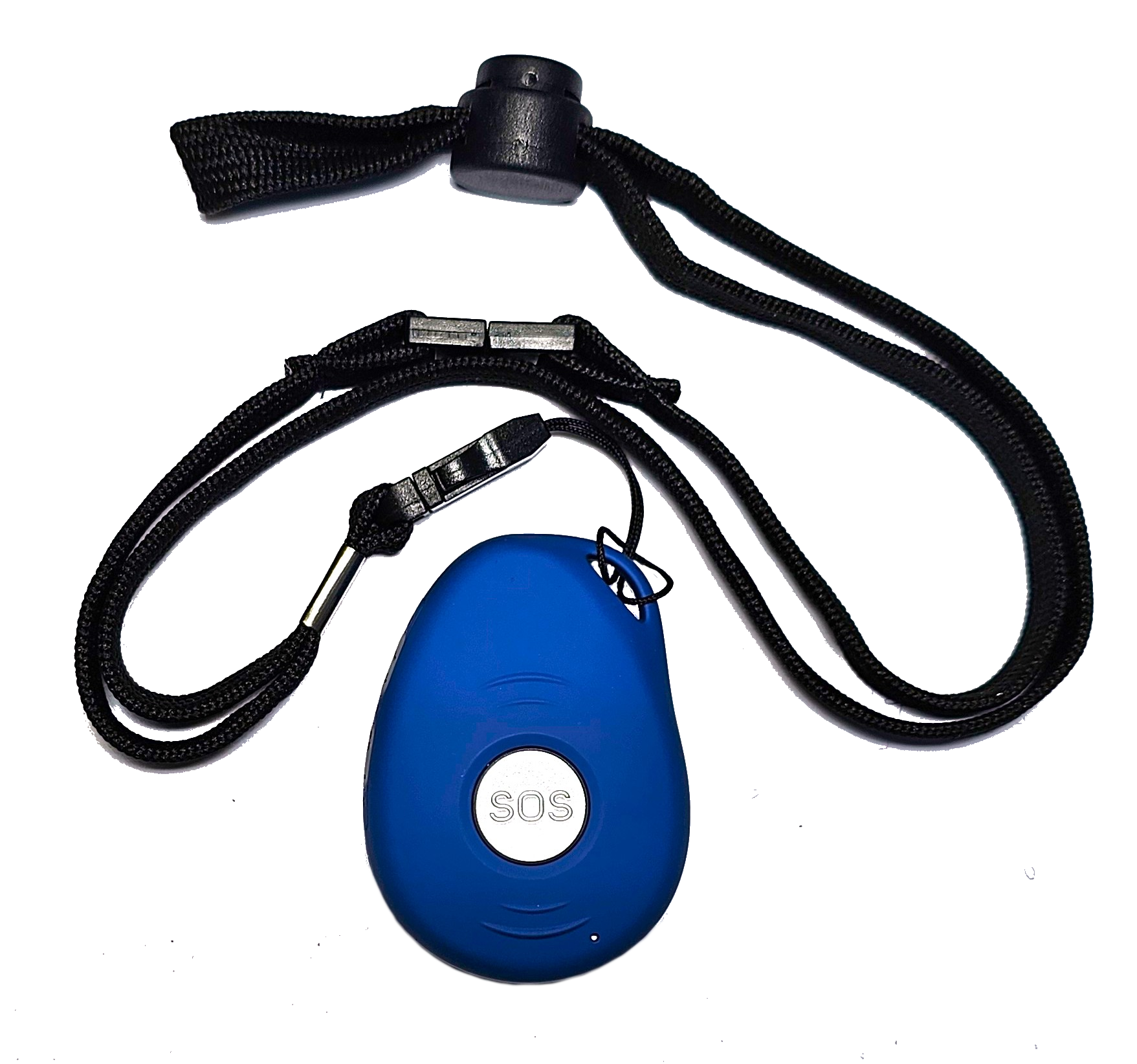
A fall alert for elderly people is only useful if your parent actually wears it and remembers to keep it charged. Many older adults resist wearing a pendant or watch because it feels like a badge of frailty. That is why the style and form factor matter. A slim wristband that looks like a fitness tracker can feel more natural than a pendant they must clip on each morning.
Beyond appearance, look for automatic fall detection. If your parent falls and cannot press a button, the device should sense the impact and raise an alert by itself. This is the feature that turns a simple alarm into a true safety net. Pair it with location sharing so that responders know exactly where your parent is, whether they are at home, in the garden, or out shopping.

Set up a response plan before you need it
An alert is only the beginning. The real value comes from knowing who gets that alert and what they do next. Sit down with your parent and a few trusted contacts, siblings, neighbours, close friends, and decide on a response plan. Who is the first person called when an alarm goes off? What happens if that person does not answer? Agree on a chain of contacts so that no alert goes unnoticed.
Make sure every contact understands their role. A neighbour might be the first to check on your parent because they live nearby. A sibling in another city could handle the next step, like calling an ambulance or notifying other family members. Write this plan down and share it with everyone involved, including your parent. When an emergency happens, no one should have to guess what to do.
This is also a good moment to discuss how your parent feels about emergency services. Some older adults are hesitant to call an ambulance because they do not want to "bother" anyone or worry about cost. Talk through these concerns beforehand so the plan feels like a shared agreement, not a command.
Use two-way communication to stay close
One of the most reassuring features in a modern fall alert system is two-way voice communication. When an alert is triggered, a caregiver or a monitoring service can speak directly through the device. This allows you to ask your parent what happened, reassure them that help is coming, or simply check that it was a false alarm. For a parent who is anxious, hearing a familiar voice can calm them faster than any automated message.
For remote families, this feature works especially well. Even if you are hundreds of kilometres away, you can talk to your parent through the device as if you were in the same room. This kind of connection reduces the panic that can follow a fall and gives you the information you need to decide on the next step.
Involve whanau and local support
Distance does not have to mean isolation. In many communities, neighbours and local whanau (extended family) are willing to help if they know what is needed. A neighbour might agree to check in once a week, water the plants, or simply keep an eye on the house. A nearby cousin could be the second contact in your response plan. These small arrangements build a web of support around your parent that does not depend on you being there.

Technology can strengthen these local ties. Some fall alert systems allow you to send an SMS alert to a list of contacts. If your parent falls, the neighbour and the cousin get a text at the same time as you do. This way, someone local can respond immediately while you coordinate from afar. Just be sure to ask each person’s permission before adding them to the alert list and explain clearly what they should do if they receive a message.
Check in regularly but respectfully
A fall alert for elderly parents is not a set-and-forget device. Plan a monthly check-in with your parent to talk about how the system is working. Is the battery lasting long enough? Do they find the device comfortable? Have there been any false alarms that bothered them? These conversations help you catch small problems before they become reasons to stop wearing the device.
At the same time, respect their independence. Avoid turning every check-in into a lecture about safety. Frame your questions as curiosity, not surveillance. A simple question like "How is that new wristband feeling?" sounds very different from "Are you wearing it every day?" Keep the tone collaborative, and your parent will be more likely to stay engaged.
For New Zealand families looking for a practical option, a service like familyr.co.nz provides wearable alarms with automatic fall detection, GPS location, and two-way voice communication. Their system has no monthly fees, which removes a common worry about ongoing costs. The device is designed to work for older adults who want to stay active without feeling monitored.
Review the plan as needs change
Your parent’s health and mobility will not stay the same. A fall alert system that works well today might need adjustments in six months or a year. Maybe their vision worsens and they need a larger button, or they start using a walker and the device’s strap gets in the way. Keep the conversation open and revisit the response plan whenever something changes, a new diagnosis, a recent fall, or a move to a new home.
It also helps to test the system regularly. Press the test button together during a phone call so you can both hear that the alert works. This small habit builds confidence and ensures that when a real emergency happens, the technology does not fail because of a dead battery or a forgotten step.
Supporting an older parent from a distance is never simple, but it is manageable with a clear plan and reliable tools. The goal is to give your parent the freedom to live on their terms while giving yourself the reassurance that help is always close at hand. A well-chosen fall alert for elderly family members, combined with a thoughtful response network, turns distance from a liability into a manageable part of your caregiving journey.
If you are exploring options, familyr.co.nz is worth a look for its straightforward approach and New Zealand focus. Their devices include location sharing and two-way communication, which are especially valuable when you cannot be there in person. The most important step is to start the conversation with your parent today and build a plan that works for everyone.